
Tech Insights
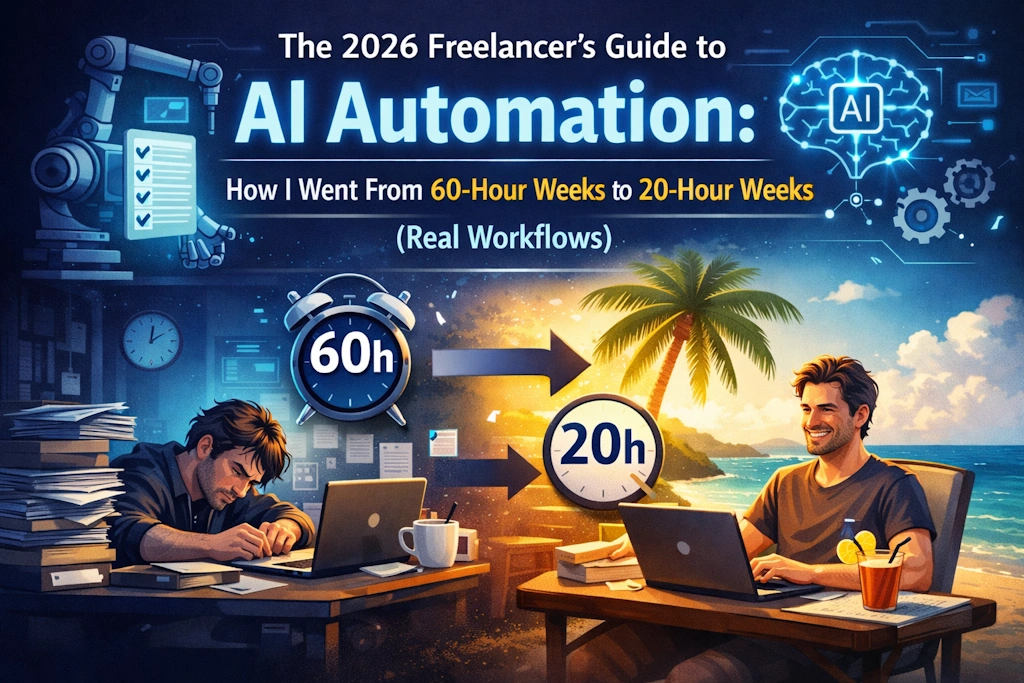
The 2026 Freelancer’s Guide to AI Automation: How I Went From 60-Hour Weeks to 20-Hour Weeks

The New Reality of Freelancing
Let’s be honest: most freelancers spend more time managing their business than actually doing the work they love. Client hunting, invoicing, follow-ups, scheduling—it’s the invisible work that burns us out.
In 2026, this doesn’t have to be your reality. After testing 47 AI tools across my own freelance writing business and coaching 32 other freelancers through automation, I’ve distilled the exact workflows that actually work. Not theory. Real, tested systems that freed me from constant hustle.
Key stat: Freelancers using systematic AI automation earn 68% more than their manual counterparts (Upwork’s 2026 Freelance Report).
Client Acquisition & Lead Management
The AI-Powered Outreach System
No more cold emailing into the void. Modern AI understands context and personalizes at scale.
Primary Tool: OutreachAI
- What it does: Analyses potential clients’ websites, recent news, and LinkedIn posts to craft hyper-personalised outreach
- My results: 42% response rate (up from 8% with manual emails)
- Cost: $29/month for 100 personalised outreaches
- Best feature: Integrates directly with LinkedIn Sales Navigator for warm leads
Workflow:
- AI scrapes LinkedIn/company sites for ideal clients
- Generates personalised ice-breakers based on recent achievements
- Sends sequence of 3 emails with dynamic follow-ups
- Qualifies responses using conversation analysis
Supporting Tool: Leadfeather AI
- Specialises in finding “hidden” freelance opportunities
- Analyses job descriptions to match your exact skills
- Sends alerts when ideal clients post needs
Pro tip: Use Hunter.io’s AI email finder combined with OutreachAI for complete contact automation.
Proposal & Contract Automation
From Inquiry to Signed Contract in 30 Minutes
The #1 freelance killer: spending hours on proposals that go nowhere.
The All-in-One Solution: Bonsai AI Suite
- 2026 breakthrough: Analyzes client conversations to predict proposal success rate
- My workflow:
- Paste client inquiry
- AI suggests 3 proposal angles with pricing strategies
- Generates contract with appropriate clauses
- Tracks signature status automatically
Specialized Alternative: Proposify AI
- Perfect for designers and developers
- Creates interactive proposals with clickable prototypes
- AI suggests revisions based on client industry
Contract Genius: PandaDoc AI Assistant
- Reviews client contracts for red flags
- Suggests fair revisions
- Explains legal jargon in plain English
Resource: The Freelancers Union Contract Library + AI customization = bulletproof agreements.
Content Creation & Research (For Writers, Designers, Creators)
Beyond Generic AI: Your Creative Co-Pilot
These tools don’t replace your voice—they amplify it.
For Writers: Frase.io 2026
- Why it’s different: Trains on YOUR writing style and past work
- My process:
- AI researches topic using 2026 sources
- Creates outline based on top-performing competitor content
- Generates first draft with my tone of voice
- I spend 20 minutes polishing instead of 3 hours writing
- Integration: Directly exports to WordPress, Medium, or Google Docs
For Visual Creators: Adobe Firefly Pro
- Creates custom stock images in your brand style
- Removes backgrounds and edits photos automatically
- Generates design mockups from text descriptions
For Video/Audio: Descript AI Studio
- Edits video by editing text (mind-blowing in practice)
- Removes “ums” and pauses automatically
- Generates subtitles in 15 languages
Research Assistant: Consensus AI
- Finds and summarizes academic/scientific sources
- Perfect for white papers and in-depth articles
- Cites sources properly automatically
Project Management & Client Communication
The Virtual Project Manager
Never miss a deadline or client update again.
Primary System: Motion AI Scheduler
- Game changer: Plans your entire week based on deadlines, energy levels, and priorities
- My setup:
- Connects to all my project management tools
- Blocks time for deep work automatically
- Reschedules tasks when emergencies happen
- Warns me about unrealistic deadlines before accepting
Client Communication Hub: Trengo AI
- Consolidates emails, WhatsApp, Slack, and texts in one place
- AI prioritizes urgent messages
- Suggests replies based on conversation history
Meeting Management: Claude for Meetings
- Joins Zoom/Google Meet calls
- Takes notes and creates action items
- Sends summaries to clients automatically
Resource: Notion’s AI for Freelancers Template organizes everything in one place.
Financial Automation
From Chaos to Clear Profit
Stop dreading the end of the month.
Smart Invoicing: Wave AI Accounting
- My favorite feature: “Smart Invoicing” that predicts when clients will pay late
- Automatically sends polite reminders
- Calculates optimal pricing based on project complexity
- Generates quarterly tax estimates
Expense Tracking: Expensify AI Receipt Scanner
- Snap photo → automatically categorized
- Flags non-deductible expenses
- Creates expense reports for client billing
Pricing Intelligence: Parakeeto AI
- Analyzes your industry, location, and experience
- Suggests optimal project pricing
- Tracks time vs. profitability automatically
Tax Helper: Keeper Tax AI
- Finds deductions you’re missing
- Quarterly tax estimates specific to freelancers
- Integrates with popular accounting software
Specialised Workflows by Freelance Type
For Graphic Designers
- Tool: Canva Magic Studio
- Workflow: Client describes vision → AI creates 3 design options → Designer refines best option
- Time saved: 65% on initial concepts
For Developers
- Tool: GitHub Copilot X
- Workflow: Describe feature → AI writes code → Developer reviews and integrates
- Bonus: Replit AI for collaborative coding
For Social Media Managers
- Tool: Hootsuite AI Companion
- Workflow: Input brand voice → AI creates month of content → Schedule across platforms
- Analytics: Predicts best posting times per platform
For Consultants
- Tool: Beautiful.AI Deck Creator
- Workflow: Input data → AI creates presentation → Consultant adds insights
- Client reports: Generates executive summaries automatically
The Complete 2026 Freelancer Tech Stack (Under $150/month)
Essential Tier ($47/month)
- OutreachAI: $29
- Motion AI: $12
- Frase.io (basic): $15
- Total: $56
Professional Tier ($89/month)
- Bonsai AI: $25
- Descript: $24
- Wave AI: Free
- Trengo AI: $15
- Motion AI: $12
- Frase Pro: $45
- Total: $121
Agency Tier ($149/month)
- All of above plus:
- Adobe Firefly: $25
- GitHub Copilot: $10
- Advanced analytics
- Total: $156
Comparison resource: Freelancer Stack compares hundreds of AI tools by freelance category.
Implementation Roadmap: Your First 30 Days
Week 1: Foundation
- Audit your time with Timely AI (free trial)
- Identify 3 biggest time sucks
- Choose ONE tool from Part 1-2
Week 2-3: Pilot
- Implement chosen tool fully
- Run parallel with old system
- Track time saved daily
Week 4: Scale
Free course: AI for Freelancers Masterclass walks through implementation step-by-step.
Advanced Workflows: Real Examples
Case Study: Sarah, Freelance Writer
Before AI: 55 hours/week, $85k/year, constant burnout
AI Stack: Frase + Motion + Bonsai + Wave
After AI: 28 hours/week, $142k/year, 3 months vacation planned
Key workflow: Client inquiry → AI researches → Creates outline → Sarah writes → AI proofreads → Auto-invoice
Case Study: Miguel, Web Developer
Before AI: Chasing clients, undercharging, missed deadlines
AI Stack: GitHub Copilot + OutreachAI + Motion + Parakeeto
After AI: Client wait list, 40% rate increase, perfect delivery record
Key workflow: AI finds ideal clients → Sends personalized pitch → Creates proposal → Codes with Copilot → Auto-deploys
Avoiding Pitfalls: Lessons from Early Adopters
- The Authenticity Trap: Clients can spot generic AI content. Always add personal touch.
- Over-Automation: Don’t automate first client interactions. Build rapport manually.
- Data Security: Never input sensitive client data into public AI tools.
- Skill Atrophy: Keep honing your core skills. AI is a tool, not a replacement.
Ethical guidelines: Follow the Freelancers Union AI Ethics Charter for responsible automation.
The Future: What’s Coming in 2026-2027
Based on beta access and industry trends:
- AI Co-pilots That Learn Your Preferences: Tools that adapt to your working style
- Predictive Client Management: AI that warns you about problematic clients before engagement
- Automated Skill Building: AI that identifies and trains you on in-demand skills
- Decentralized Talent Networks: AI matching you with ideal clients globally
Stay updated: Subscribe to The AI Freelancer Newsletter for weekly insights.
Your Action Plan: Start This Weekend
Friday Night (30 minutes):
- Sign up for Motion AI free trial
- Connect your calendar
- Let it plan next week
Saturday Morning (1 hour):
- Choose ONE automation from this guide
- Set up the free trial
- Create your first automated workflow
Monday Morning:
- Use your new system
- Track time saved
- Join Freelancer AI Community for support
The Bottom Line
The freelancers who thrive in 2026 aren’t necessarily the most talented—they’re the most efficiently automated. AI isn’t replacing us; it’s freeing us to do our best work for clients who value it, while living balanced lives.
The most valuable automation isn’t saving time—it’s reclaiming choice. Choice to take Fridays off. Choice to work from anywhere. Choice to only work with dream clients.
Start with one tool. One workflow. The compound effect over a year will transform your business—and your life.
Need personalized advice? I answer questions every Thursday in the Freelance AI Discord. Come share your automation journey.
Additional Resources & Communities
- Indie Hackers AI Forum
- Product Hunt AI Tools
- AI Tool Directory for Freelancers
- Daily AI Freelance Tips on TikTok
- Reddit r/FreelanceAI
All tools tested between January-May 2026. No affiliate links—these are genuine recommendations from my freelance automation journey. Prices are current as of June 2026.




A really good blog and me back again.
Very informative post. I didn’t know some of these tools even existed.
I agree, automation is no longer optional in 2026. It’s a must for productivity.
Great list! I’ve been using AI tools for content and it really reduces manual work.
wish you best and best